Every creative field is working through the same question right now: where does AI belong in the work, and where does it not? For graphic recorders, the answer starts with a clear boundary: the live session is entirely human. A trained graphic recorder listens, synthesizes, and draws in real time — no AI tool does this, assists with it, or produces the visual output. That will not change. But the work that surrounds a session — the preparation, the research, the post-event synthesis, the client communication — is a different story. This is where AI for graphic recorders can offer genuine productivity gains, without touching the creative core of the practice. The question is not whether to use it. It is how to use it responsibly, effectively, and in ways that strengthen rather than dilute the quality and originality that clients rely on.
What Is AI for Graphic Recorders?
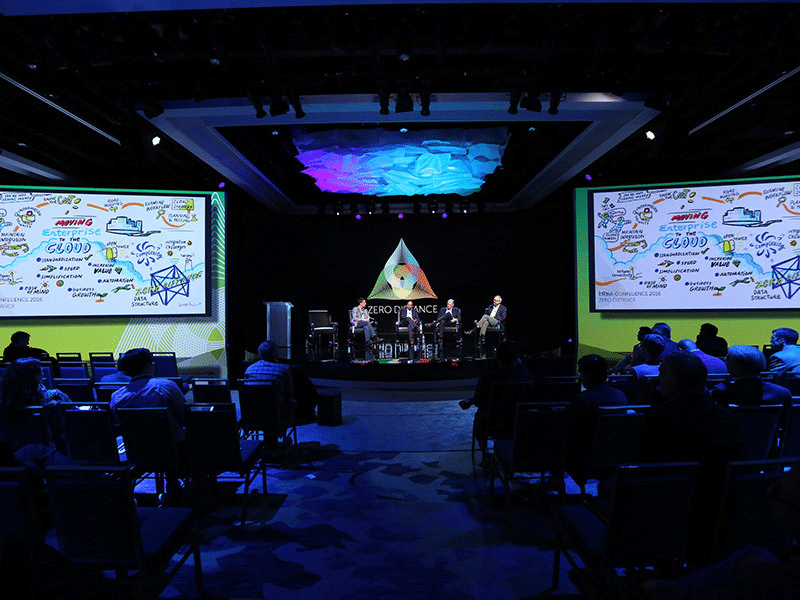
AI for graphic recorders refers to the use of artificial intelligence tools to support the planning, preparation, synthesis, and communication work that surrounds the practice — not the practice itself. The live session is fully human: a graphic recorder working in real time on foamcore boards or a digital canvas, making hundreds of judgment calls that no AI can replicate. What AI can support is everything around that: the research before, the synthesis after, and the communication work in between. The distinction matters. Clients engage graphic recorders for what happens in the room. AI belongs in the work that happens before and after it.
How AI Can Support the Graphic Recording Workflow
The graphic recording workflow extends well beyond the session itself. Pre-session preparation, post-session synthesis, client briefings, and content repurposing all represent significant time investments — and all are areas where AI can accelerate without compromising quality. Used well, AI functions as a productivity tool that handles the generative groundwork: clustering themes from a brief, drafting written summaries from visual notes, generating layout options for a new board format, or producing first drafts of client-facing documents. The graphic recorder then applies judgment, specificity, and voice — the things AI cannot supply.
How Creative Prompts Improve Planning and Preparation
The quality of AI output depends almost entirely on the quality of the input. Vague creative prompts produce generic results. Specific, context-rich prompts produce genuinely useful starting points. For graphic recorders, the most productive prompting applications include pre-session preparation, theme clustering, layout planning, post-session summaries, and content repurposing.
| Use Case | Example Prompt |
| Pre-session prep | Here is the agenda for a two-day leadership offsite focused on organizational change. What are the five most likely tension points that will surface, and what visual metaphors might help capture each one? |
| Theme clustering | Here are 30 raw ideas generated in a brainstorm session. Group them into no more than five themes, give each theme a short label, and flag any ideas that do not fit cleanly. |
| Layout planning | I am capturing a three-hour strategy session for a 12-person team. The session covers current state, future vision, and priority actions. Suggest three different visual layout structures I could use for a 40×60 foamcore board. |
| Post-session summary | Here are my visual notes from today’s session. Draft a 200-word written summary that captures the three key decisions made and the two open questions the team left unresolved. |
| Content repurposing | I have a high-resolution image of a graphic recording from a technology conference keynote. Write three LinkedIn captions of different lengths that could accompany this image when shared post-event. |
What Ethical Questions Should Graphic Recorders Consider?
Ethical AI use in creative practice is not a future concern — it is a present one. For graphic recorders, three questions deserve particular attention.
- Client confidentiality. Feeding session materials, transcripts, or client briefs into a public AI tool raises real data privacy questions. Before using any AI tool with client content, understand where that data goes and whether your client agreements permit it.
- Attribution and originality. If AI generates the visual metaphors or structural ideas that appear in your work, are you representing those ideas as your own? Transparency with clients and peers about how AI is used in your process is a reasonable starting point.
- Creative dependency. Over-reliance on AI-generated ideas risks narrowing your visual vocabulary. Use it to generate options, not to make decisions. The judgment about what serves a session belongs to you.
AI vs. Human Visual Thinking: Where the Line Is
| Task | AI Can Support | Human Judgment Required |
| Pre-session research | Summarizing background materials, generating theme clusters, drafting agenda questions | Deciding which themes matter most for this specific client and room |
| Creative prompts | Generating visual metaphor options, suggesting icon approaches, brainstorming layout structures | Choosing what resonates visually and serves the session’s purpose |
| Post-session synthesis | Drafting written summaries, structuring follow-up content, repurposing visual notes for reports | Ensuring accuracy, tone, and fidelity to what was actually said in the room |
| Client communication | Drafting proposals, emails, and briefing documents | Reading the relationship, adjusting tone, making judgment calls |
| Live visual capture | Not applicable — AI cannot draw or listen in real time | Everything: listening, synthesizing, deciding, drawing, facilitating |
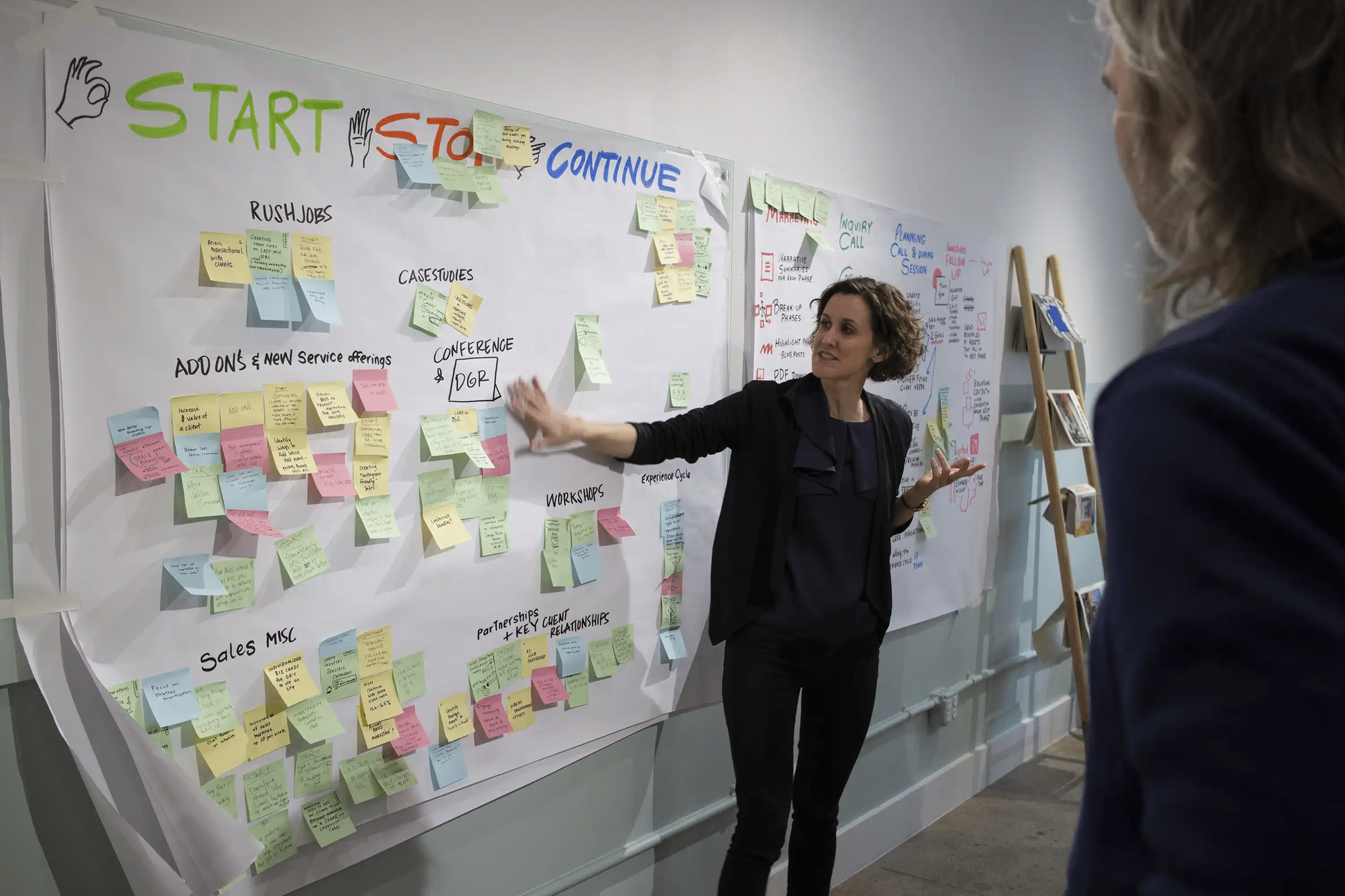
The live capture itself — listening actively, synthesizing in real time, making hundreds of micro-decisions about what to draw and how — is not something AI can replicate or assist with meaningfully. That is the work. Everything else is infrastructure.
How to Use AI Without Losing Original Voice and Style
The graphic recorders who use AI most effectively treat it the way a skilled editor treats a first draft — as raw material that requires significant human intervention before it becomes something worth using. Generate ten visual metaphor options and reject nine. Ask for five layout structures and adapt the one that comes closest. Draft a summary and rewrite it in your own voice. The goal is not to let AI do the thinking. It is to use AI to clear the generative groundwork faster, so more time and attention can go to the decisions that actually require your expertise. That is what responsible, productive ethical AI use looks like in practice.
Common Mistakes to Avoid
- Using AI tools with client content without checking data privacy terms or client agreements first.
- Accepting AI output without applying your own judgment — generic creative prompts produce generic visual work.
- Treating AI output as final. Everything it produces is a starting point, not a deliverable.
- Failing to disclose AI use when clients or collaborators have a reasonable expectation of fully original work.
- Using AI as a substitute for proper session preparation — no productivity tool compensates for insufficient briefing on content and audience.
At ImageThink, our graphic recording workflow has always been built on deep preparation, active listening, and original visual thinking. AI is one more tool in service of that — not a replacement for it. If you want to see what fully human, fully prepared visual capture looks like in practice, get in touch.
Frequently Asked Questions About AI for Graphic Recorders
What is AI for graphic recorders?
AI for graphic recorders refers to the use of artificial intelligence tools — large language models, transcription software, image generators, and productivity applications — to support the planning, preparation, synthesis, and communication work that surrounds graphic recording practice. It does not replace live visual capture, which remains a fundamentally human skill.
How can graphic recorders use AI?
The most productive applications fall into three categories: pre-session preparation (research, theme clustering, agenda review), live session support (transcription tools, reference lookups), and post-session work (written summaries, content repurposing, client communications). Creative prompts can also help graphic recorders explore visual metaphors, layout options, and icon approaches before a session begins.
What ethical issues come with AI in creative work?
The most significant concerns are attribution, originality, and data privacy. Using AI to generate visual ideas without disclosure raises questions about creative authorship. Feeding client materials into AI tools raises questions about confidentiality. And over-reliance on AI-generated content risks eroding the distinctive voice and visual judgment that makes a graphic recorder’s work valuable.
Can AI help with prompts and planning for graphic recording?
Yes — and this is one of the highest-value applications. Well-constructed creative prompts can help graphic recorders brainstorm visual metaphors, anticipate thematic tensions, plan board layouts, and prepare questions for pre-session briefings. The quality of the output depends almost entirely on the specificity and clarity of the prompt.
How do graphic recorders use AI without losing originality?
By treating AI as a starting point rather than a final answer. Use it to generate options, not decisions. Prompt it for variety, then apply your own judgment to select, reject, and adapt. Keep your live practice — the listening, the synthesis, the drawing — entirely your own. AI can support the workflow around graphic recording without touching the work itself.
Ready to Picture Your Big Idea?
"*" indicates required fields